<turbo-stream action="append" target="device-list">
  <template>
      <a class="group block" href="/mobile/39481?back_to=%2Fmobile&amp;url=https%3A%2F%2Fwww.citypng.com%2Fpublic%2Fuploads%2Fpreview%2Fiphone-15-pro-max-all-colors-hd-png-116949841795tz5ootrjo.png">
  <div class="bg-white dark:bg-[rgb(0,35,20)] rounded-2xl shadow-sm hover:shadow-md dark:shadow-black/30 dark:hover:shadow-black/50 transition-all duration-200 overflow-hidden flex flex-col h-full border border-gray-100 dark:border-green-900/40 hover:border-green-200 dark:hover:border-green-700">


    <!-- Image — non-PNG device photos are hotlinked JPEGs with an opaque
         white studio background baked into the pixels (no transparency to
         blend with a dark tile), so those stay a deliberate light "photo
         mat" in both themes rather than flipping dark and clashing with
         them. PNGs are usually real cutouts with transparency and don't
         have that problem, so they keep the original theme-aware tile. -->
    <div class="relative bg-gray-50 dark:bg-[rgb(0,22,12)] flex items-center justify-center p-4 h-[180px]">
      <img alt="IPHONE 15 PRO MAX" class="h-full object-contain" src="https://www.citypng.com/public/uploads/preview/iphone-15-pro-max-all-colors-hd-png-116949841795tz5ootrjo.png" />
      <img alt="Warranty" class="absolute top-2 left-2 opacity-90" src="/assets/warranty-6f2832a6.png" width="64" height="64" />
    </div>

    <!-- Info -->
    <div class="flex flex-col flex-1 p-4 gap-2">
      <p class="text-[10px] font-semibold text-green-600 dark:text-green-400 uppercase tracking-widest">APPLE</p>
      <h3 class="text-sm font-bold text-gray-800 dark:text-white leading-snug line-clamp-2">
        IPHONE 15 PRO MAX 256GB
      </h3>
      <p class="text-xs text-gray-400 dark:text-gray-500">UNLOCKED</p>

      <!-- Condition badge — a grouped card (show_from) represents several
           storage/grade combinations at once, so showing just this one unit's
           grade would misrepresent the group; the price row alone with
           "From £X" carries the card instead. -->
      <div class="mt-auto pt-2 flex items-center justify-between gap-2">
          <span class="text-[10px] font-semibold px-2 py-0.5 rounded-full bg-indigo-600 text-white">
            Grade A
          </span>
        <div class="flex flex-col items-end">
          <p class="text-base font-extrabold text-gray-900 dark:text-white">£599</p>
        </div>
      </div>

      <button class="mt-2 w-full bg-[rgb(0,106,58)] hover:bg-green-700 dark:bg-green-700 dark:hover:bg-green-600 text-white text-xs py-2 font-semibold rounded-xl transition-colors duration-150">
        View Details
      </button>
    </div>
  </div>
</a>
      <a class="group block" href="/mobile/39480?back_to=%2Fmobile&amp;url=https%3A%2F%2Fsqmagazine.co.uk%2Fwp-content%2Fuploads%2F2026%2F06%2Fiphone-18-pro-max-leak-reveals-no-change-in-thickness-780x439.jpg">
  <div class="bg-white dark:bg-[rgb(0,35,20)] rounded-2xl shadow-sm hover:shadow-md dark:shadow-black/30 dark:hover:shadow-black/50 transition-all duration-200 overflow-hidden flex flex-col h-full border border-gray-100 dark:border-green-900/40 hover:border-green-200 dark:hover:border-green-700">


    <!-- Image — non-PNG device photos are hotlinked JPEGs with an opaque
         white studio background baked into the pixels (no transparency to
         blend with a dark tile), so those stay a deliberate light "photo
         mat" in both themes rather than flipping dark and clashing with
         them. PNGs are usually real cutouts with transparency and don't
         have that problem, so they keep the original theme-aware tile. -->
    <div class="relative bg-gray-50 flex items-center justify-center p-4 h-[180px]">
      <img alt="IPHONE 18PRO" class="h-full object-contain" src="https://sqmagazine.co.uk/wp-content/uploads/2026/06/iphone-18-pro-max-leak-reveals-no-change-in-thickness-780x439.jpg" />
      <img alt="Warranty" class="absolute top-2 left-2 opacity-90" src="/assets/warranty-6f2832a6.png" width="64" height="64" />
    </div>

    <!-- Info -->
    <div class="flex flex-col flex-1 p-4 gap-2">
      <p class="text-[10px] font-semibold text-green-600 dark:text-green-400 uppercase tracking-widest">APPLE</p>
      <h3 class="text-sm font-bold text-gray-800 dark:text-white leading-snug line-clamp-2">
        IPHONE 18PRO 256GB
      </h3>
      <p class="text-xs text-gray-400 dark:text-gray-500">UNLOCKED</p>

      <!-- Condition badge — a grouped card (show_from) represents several
           storage/grade combinations at once, so showing just this one unit's
           grade would misrepresent the group; the price row alone with
           "From £X" carries the card instead. -->
      <div class="mt-auto pt-2 flex items-center justify-between gap-2">
          <span class="text-[10px] font-semibold px-2 py-0.5 rounded-full bg-blue-600 text-white">
            Grade A+
          </span>
        <div class="flex flex-col items-end">
          <p class="text-base font-extrabold text-gray-900 dark:text-white">£1045</p>
        </div>
      </div>

      <button class="mt-2 w-full bg-[rgb(0,106,58)] hover:bg-green-700 dark:bg-green-700 dark:hover:bg-green-600 text-white text-xs py-2 font-semibold rounded-xl transition-colors duration-150">
        View Details
      </button>
    </div>
  </div>
</a>
      <a class="group block" href="/mobile/39479?back_to=%2Fmobile&amp;url=https%3A%2F%2Fwww.citypng.com%2Fpublic%2Fuploads%2Fpreview%2Fapple-iphone-15-all-colors-hd-png-11694997117cep6j9ej7i.png">
  <div class="bg-white dark:bg-[rgb(0,35,20)] rounded-2xl shadow-sm hover:shadow-md dark:shadow-black/30 dark:hover:shadow-black/50 transition-all duration-200 overflow-hidden flex flex-col h-full border border-gray-100 dark:border-green-900/40 hover:border-green-200 dark:hover:border-green-700">


    <!-- Image — non-PNG device photos are hotlinked JPEGs with an opaque
         white studio background baked into the pixels (no transparency to
         blend with a dark tile), so those stay a deliberate light "photo
         mat" in both themes rather than flipping dark and clashing with
         them. PNGs are usually real cutouts with transparency and don't
         have that problem, so they keep the original theme-aware tile. -->
    <div class="relative bg-gray-50 dark:bg-[rgb(0,22,12)] flex items-center justify-center p-4 h-[180px]">
      <img alt="IPHONE 15" class="h-full object-contain" src="https://www.citypng.com/public/uploads/preview/apple-iphone-15-all-colors-hd-png-11694997117cep6j9ej7i.png" />
      <img alt="Warranty" class="absolute top-2 left-2 opacity-90" src="/assets/warranty-6f2832a6.png" width="64" height="64" />
    </div>

    <!-- Info -->
    <div class="flex flex-col flex-1 p-4 gap-2">
      <p class="text-[10px] font-semibold text-green-600 dark:text-green-400 uppercase tracking-widest">APPLE</p>
      <h3 class="text-sm font-bold text-gray-800 dark:text-white leading-snug line-clamp-2">
        IPHONE 15 128GB
      </h3>
      <p class="text-xs text-gray-400 dark:text-gray-500">UNLOCKED</p>

      <!-- Condition badge — a grouped card (show_from) represents several
           storage/grade combinations at once, so showing just this one unit's
           grade would misrepresent the group; the price row alone with
           "From £X" carries the card instead. -->
      <div class="mt-auto pt-2 flex items-center justify-between gap-2">
          <span class="text-[10px] font-semibold px-2 py-0.5 rounded-full bg-amber-500 text-gray-900">
            Grade B
          </span>
        <div class="flex flex-col items-end">
          <p class="text-base font-extrabold text-gray-900 dark:text-white">£410</p>
        </div>
      </div>

      <button class="mt-2 w-full bg-[rgb(0,106,58)] hover:bg-green-700 dark:bg-green-700 dark:hover:bg-green-600 text-white text-xs py-2 font-semibold rounded-xl transition-colors duration-150">
        View Details
      </button>
    </div>
  </div>
</a>
      <a class="group block" href="/mobile/39478?back_to=%2Fmobile&amp;url=https%3A%2F%2Fm-cdn.phonearena.com%2Fimages%2Fphones%2F85478-350%2FGoogle-Pixel-10-Pro-XL.webp%3Fw%3D1">
  <div class="bg-white dark:bg-[rgb(0,35,20)] rounded-2xl shadow-sm hover:shadow-md dark:shadow-black/30 dark:hover:shadow-black/50 transition-all duration-200 overflow-hidden flex flex-col h-full border border-gray-100 dark:border-green-900/40 hover:border-green-200 dark:hover:border-green-700">


    <!-- Image — non-PNG device photos are hotlinked JPEGs with an opaque
         white studio background baked into the pixels (no transparency to
         blend with a dark tile), so those stay a deliberate light "photo
         mat" in both themes rather than flipping dark and clashing with
         them. PNGs are usually real cutouts with transparency and don't
         have that problem, so they keep the original theme-aware tile. -->
    <div class="relative bg-gray-50 flex items-center justify-center p-4 h-[180px]">
      <img alt="PIXEL 10 PRO" class="h-full object-contain" src="https://m-cdn.phonearena.com/images/phones/85478-350/Google-Pixel-10-Pro-XL.webp?w=1" />
      <img alt="Warranty" class="absolute top-2 left-2 opacity-90" src="/assets/warranty-6f2832a6.png" width="64" height="64" />
    </div>

    <!-- Info -->
    <div class="flex flex-col flex-1 p-4 gap-2">
      <p class="text-[10px] font-semibold text-green-600 dark:text-green-400 uppercase tracking-widest">GOOGLE</p>
      <h3 class="text-sm font-bold text-gray-800 dark:text-white leading-snug line-clamp-2">
        PIXEL 10 PRO 128GB
      </h3>
      <p class="text-xs text-gray-400 dark:text-gray-500">UNLOCKED</p>

      <!-- Condition badge — a grouped card (show_from) represents several
           storage/grade combinations at once, so showing just this one unit's
           grade would misrepresent the group; the price row alone with
           "From £X" carries the card instead. -->
      <div class="mt-auto pt-2 flex items-center justify-between gap-2">
          <span class="text-[10px] font-semibold px-2 py-0.5 rounded-full bg-blue-600 text-white">
            Grade A+
          </span>
        <div class="flex flex-col items-end">
          <p class="text-base font-extrabold text-gray-900 dark:text-white">£499</p>
        </div>
      </div>

      <button class="mt-2 w-full bg-[rgb(0,106,58)] hover:bg-green-700 dark:bg-green-700 dark:hover:bg-green-600 text-white text-xs py-2 font-semibold rounded-xl transition-colors duration-150">
        View Details
      </button>
    </div>
  </div>
</a>
      <a class="group block" href="/mobile/39477?back_to=%2Fmobile&amp;url=https%3A%2F%2Ffdn2.gsmarena.com%2Fvv%2Fbigpic%2Fapple-iphone-17e.jpg">
  <div class="bg-white dark:bg-[rgb(0,35,20)] rounded-2xl shadow-sm hover:shadow-md dark:shadow-black/30 dark:hover:shadow-black/50 transition-all duration-200 overflow-hidden flex flex-col h-full border border-gray-100 dark:border-green-900/40 hover:border-green-200 dark:hover:border-green-700">


    <!-- Image — non-PNG device photos are hotlinked JPEGs with an opaque
         white studio background baked into the pixels (no transparency to
         blend with a dark tile), so those stay a deliberate light "photo
         mat" in both themes rather than flipping dark and clashing with
         them. PNGs are usually real cutouts with transparency and don't
         have that problem, so they keep the original theme-aware tile. -->
    <div class="relative bg-gray-50 flex items-center justify-center p-4 h-[180px]">
      <img alt="IPHONE 17E" class="h-full object-contain" src="https://fdn2.gsmarena.com/vv/bigpic/apple-iphone-17e.jpg" />
      <img alt="Warranty" class="absolute top-2 left-2 opacity-90" src="/assets/warranty-6f2832a6.png" width="64" height="64" />
    </div>

    <!-- Info -->
    <div class="flex flex-col flex-1 p-4 gap-2">
      <p class="text-[10px] font-semibold text-green-600 dark:text-green-400 uppercase tracking-widest">APPLE</p>
      <h3 class="text-sm font-bold text-gray-800 dark:text-white leading-snug line-clamp-2">
        IPHONE 17E 256GB
      </h3>
      <p class="text-xs text-gray-400 dark:text-gray-500">UNLOCKED</p>

      <!-- Condition badge — a grouped card (show_from) represents several
           storage/grade combinations at once, so showing just this one unit's
           grade would misrepresent the group; the price row alone with
           "From £X" carries the card instead. -->
      <div class="mt-auto pt-2 flex items-center justify-between gap-2">
          <span class="text-[10px] font-semibold px-2 py-0.5 rounded-full bg-blue-600 text-white">
            Grade A+
          </span>
        <div class="flex flex-col items-end">
          <p class="text-base font-extrabold text-gray-900 dark:text-white">£525</p>
        </div>
      </div>

      <button class="mt-2 w-full bg-[rgb(0,106,58)] hover:bg-green-700 dark:bg-green-700 dark:hover:bg-green-600 text-white text-xs py-2 font-semibold rounded-xl transition-colors duration-150">
        View Details
      </button>
    </div>
  </div>
</a>
      <a class="group block" href="/mobile/39476?back_to=%2Fmobile&amp;url=https%3A%2F%2Fhandtec.co.uk%2Fcdn%2Fshop%2Ffiles%2Fs22ultra.png%3Fv%3D1686431349">
  <div class="bg-white dark:bg-[rgb(0,35,20)] rounded-2xl shadow-sm hover:shadow-md dark:shadow-black/30 dark:hover:shadow-black/50 transition-all duration-200 overflow-hidden flex flex-col h-full border border-gray-100 dark:border-green-900/40 hover:border-green-200 dark:hover:border-green-700">


    <!-- Image — non-PNG device photos are hotlinked JPEGs with an opaque
         white studio background baked into the pixels (no transparency to
         blend with a dark tile), so those stay a deliberate light "photo
         mat" in both themes rather than flipping dark and clashing with
         them. PNGs are usually real cutouts with transparency and don't
         have that problem, so they keep the original theme-aware tile. -->
    <div class="relative bg-gray-50 dark:bg-[rgb(0,22,12)] flex items-center justify-center p-4 h-[180px]">
      <img alt="S22 ULTRA 5G" class="h-full object-contain" src="https://handtec.co.uk/cdn/shop/files/s22ultra.png?v=1686431349" />
      <img alt="Warranty" class="absolute top-2 left-2 opacity-90" src="/assets/warranty-6f2832a6.png" width="64" height="64" />
    </div>

    <!-- Info -->
    <div class="flex flex-col flex-1 p-4 gap-2">
      <p class="text-[10px] font-semibold text-green-600 dark:text-green-400 uppercase tracking-widest">SAMSUNG</p>
      <h3 class="text-sm font-bold text-gray-800 dark:text-white leading-snug line-clamp-2">
        S22 ULTRA 5G 512GB
      </h3>
      <p class="text-xs text-gray-400 dark:text-gray-500">UNLOCKED</p>

      <!-- Condition badge — a grouped card (show_from) represents several
           storage/grade combinations at once, so showing just this one unit's
           grade would misrepresent the group; the price row alone with
           "From £X" carries the card instead. -->
      <div class="mt-auto pt-2 flex items-center justify-between gap-2">
          <span class="text-[10px] font-semibold px-2 py-0.5 rounded-full bg-indigo-600 text-white">
            Grade A
          </span>
        <div class="flex flex-col items-end">
          <p class="text-base font-extrabold text-gray-900 dark:text-white">£325</p>
        </div>
      </div>

      <button class="mt-2 w-full bg-[rgb(0,106,58)] hover:bg-green-700 dark:bg-green-700 dark:hover:bg-green-600 text-white text-xs py-2 font-semibold rounded-xl transition-colors duration-150">
        View Details
      </button>
    </div>
  </div>
</a>
      <a class="group block" href="/mobile/39475?back_to=%2Fmobile&amp;url=https%3A%2F%2Fusedmobiles4u.co.uk%2Fwp-content%2Fuploads%2F2024%2F01%2FiStoreGH-iPhone-11-PRO.png">
  <div class="bg-white dark:bg-[rgb(0,35,20)] rounded-2xl shadow-sm hover:shadow-md dark:shadow-black/30 dark:hover:shadow-black/50 transition-all duration-200 overflow-hidden flex flex-col h-full border border-gray-100 dark:border-green-900/40 hover:border-green-200 dark:hover:border-green-700">


    <!-- Image — non-PNG device photos are hotlinked JPEGs with an opaque
         white studio background baked into the pixels (no transparency to
         blend with a dark tile), so those stay a deliberate light "photo
         mat" in both themes rather than flipping dark and clashing with
         them. PNGs are usually real cutouts with transparency and don't
         have that problem, so they keep the original theme-aware tile. -->
    <div class="relative bg-gray-50 dark:bg-[rgb(0,22,12)] flex items-center justify-center p-4 h-[180px]">
      <img alt="IPHONE 11 PRO" class="h-full object-contain" src="https://usedmobiles4u.co.uk/wp-content/uploads/2024/01/iStoreGH-iPhone-11-PRO.png" />
      <img alt="Warranty" class="absolute top-2 left-2 opacity-90" src="/assets/warranty-6f2832a6.png" width="64" height="64" />
    </div>

    <!-- Info -->
    <div class="flex flex-col flex-1 p-4 gap-2">
      <p class="text-[10px] font-semibold text-green-600 dark:text-green-400 uppercase tracking-widest">APPLE</p>
      <h3 class="text-sm font-bold text-gray-800 dark:text-white leading-snug line-clamp-2">
        IPHONE 11 PRO 64GB
      </h3>
      <p class="text-xs text-gray-400 dark:text-gray-500">UNLOCKED</p>

      <!-- Condition badge — a grouped card (show_from) represents several
           storage/grade combinations at once, so showing just this one unit's
           grade would misrepresent the group; the price row alone with
           "From £X" carries the card instead. -->
      <div class="mt-auto pt-2 flex items-center justify-between gap-2">
          <span class="text-[10px] font-semibold px-2 py-0.5 rounded-full bg-indigo-600 text-white">
            Grade A
          </span>
        <div class="flex flex-col items-end">
          <p class="text-base font-extrabold text-gray-900 dark:text-white">£195</p>
        </div>
      </div>

      <button class="mt-2 w-full bg-[rgb(0,106,58)] hover:bg-green-700 dark:bg-green-700 dark:hover:bg-green-600 text-white text-xs py-2 font-semibold rounded-xl transition-colors duration-150">
        View Details
      </button>
    </div>
  </div>
</a>
      <a class="group block" href="/mobile/39474?back_to=%2Fmobile&amp;url=https%3A%2F%2Fcdsassets.apple.com%2Flive%2FSZLF0YNV%2Fimages%2Fsp%2F111866_sp867-iphone-se-3gen.png">
  <div class="bg-white dark:bg-[rgb(0,35,20)] rounded-2xl shadow-sm hover:shadow-md dark:shadow-black/30 dark:hover:shadow-black/50 transition-all duration-200 overflow-hidden flex flex-col h-full border border-gray-100 dark:border-green-900/40 hover:border-green-200 dark:hover:border-green-700">


    <!-- Image — non-PNG device photos are hotlinked JPEGs with an opaque
         white studio background baked into the pixels (no transparency to
         blend with a dark tile), so those stay a deliberate light "photo
         mat" in both themes rather than flipping dark and clashing with
         them. PNGs are usually real cutouts with transparency and don't
         have that problem, so they keep the original theme-aware tile. -->
    <div class="relative bg-gray-50 dark:bg-[rgb(0,22,12)] flex items-center justify-center p-4 h-[180px]">
      <img alt="IPHONE SE (3RD GEN)" class="h-full object-contain" src="https://cdsassets.apple.com/live/SZLF0YNV/images/sp/111866_sp867-iphone-se-3gen.png" />
      <img alt="Warranty" class="absolute top-2 left-2 opacity-90" src="/assets/warranty-6f2832a6.png" width="64" height="64" />
    </div>

    <!-- Info -->
    <div class="flex flex-col flex-1 p-4 gap-2">
      <p class="text-[10px] font-semibold text-green-600 dark:text-green-400 uppercase tracking-widest">APPLE</p>
      <h3 class="text-sm font-bold text-gray-800 dark:text-white leading-snug line-clamp-2">
        IPHONE SE (3RD GEN) 64GB
      </h3>
      <p class="text-xs text-gray-400 dark:text-gray-500">UNLOCKED</p>

      <!-- Condition badge — a grouped card (show_from) represents several
           storage/grade combinations at once, so showing just this one unit's
           grade would misrepresent the group; the price row alone with
           "From £X" carries the card instead. -->
      <div class="mt-auto pt-2 flex items-center justify-between gap-2">
          <span class="text-[10px] font-semibold px-2 py-0.5 rounded-full bg-amber-500 text-gray-900">
            Grade B
          </span>
        <div class="flex flex-col items-end">
          <p class="text-base font-extrabold text-gray-900 dark:text-white">£135</p>
        </div>
      </div>

      <button class="mt-2 w-full bg-[rgb(0,106,58)] hover:bg-green-700 dark:bg-green-700 dark:hover:bg-green-600 text-white text-xs py-2 font-semibold rounded-xl transition-colors duration-150">
        View Details
      </button>
    </div>
  </div>
</a>
      <a class="group block" href="/mobile/39473?back_to=%2Fmobile&amp;url=https%3A%2F%2Ffdn.gsmarena.com%2Fimgroot%2Fnews%2F25%2F08%2Fmoto-g06-official-looking-images%2Finline%2F-1200%2Fgsmarena_001.jpg">
  <div class="bg-white dark:bg-[rgb(0,35,20)] rounded-2xl shadow-sm hover:shadow-md dark:shadow-black/30 dark:hover:shadow-black/50 transition-all duration-200 overflow-hidden flex flex-col h-full border border-gray-100 dark:border-green-900/40 hover:border-green-200 dark:hover:border-green-700">


    <!-- Image — non-PNG device photos are hotlinked JPEGs with an opaque
         white studio background baked into the pixels (no transparency to
         blend with a dark tile), so those stay a deliberate light "photo
         mat" in both themes rather than flipping dark and clashing with
         them. PNGs are usually real cutouts with transparency and don't
         have that problem, so they keep the original theme-aware tile. -->
    <div class="relative bg-gray-50 flex items-center justify-center p-4 h-[180px]">
      <img alt="G06" class="h-full object-contain" src="https://fdn.gsmarena.com/imgroot/news/25/08/moto-g06-official-looking-images/inline/-1200/gsmarena_001.jpg" />
      <img alt="Warranty" class="absolute top-2 left-2 opacity-90" src="/assets/warranty-6f2832a6.png" width="64" height="64" />
    </div>

    <!-- Info -->
    <div class="flex flex-col flex-1 p-4 gap-2">
      <p class="text-[10px] font-semibold text-green-600 dark:text-green-400 uppercase tracking-widest">MOTO</p>
      <h3 class="text-sm font-bold text-gray-800 dark:text-white leading-snug line-clamp-2">
        G06 64GB
      </h3>
      <p class="text-xs text-gray-400 dark:text-gray-500">UNLOCKED</p>

      <!-- Condition badge — a grouped card (show_from) represents several
           storage/grade combinations at once, so showing just this one unit's
           grade would misrepresent the group; the price row alone with
           "From £X" carries the card instead. -->
      <div class="mt-auto pt-2 flex items-center justify-between gap-2">
          <span class="text-[10px] font-semibold px-2 py-0.5 rounded-full bg-indigo-600 text-white">
            Grade A
          </span>
        <div class="flex flex-col items-end">
          <p class="text-base font-extrabold text-gray-900 dark:text-white">£95</p>
        </div>
      </div>

      <button class="mt-2 w-full bg-[rgb(0,106,58)] hover:bg-green-700 dark:bg-green-700 dark:hover:bg-green-600 text-white text-xs py-2 font-semibold rounded-xl transition-colors duration-150">
        View Details
      </button>
    </div>
  </div>
</a>
      <a class="group block" href="/mobile/39470?back_to=%2Fmobile&amp;url=https%3A%2F%2Fimages.samsung.com%2Fis%2Fimage%2Fsamsung%2Fhk-en-galaxy-a20-a205-sm-a205gzkvtgy-black-168665103%3F%24624_624_PNG%24">
  <div class="bg-white dark:bg-[rgb(0,35,20)] rounded-2xl shadow-sm hover:shadow-md dark:shadow-black/30 dark:hover:shadow-black/50 transition-all duration-200 overflow-hidden flex flex-col h-full border border-gray-100 dark:border-green-900/40 hover:border-green-200 dark:hover:border-green-700">


    <!-- Image — non-PNG device photos are hotlinked JPEGs with an opaque
         white studio background baked into the pixels (no transparency to
         blend with a dark tile), so those stay a deliberate light "photo
         mat" in both themes rather than flipping dark and clashing with
         them. PNGs are usually real cutouts with transparency and don't
         have that problem, so they keep the original theme-aware tile. -->
    <div class="relative bg-gray-50 flex items-center justify-center p-4 h-[180px]">
      <img alt="A20" class="h-full object-contain" src="https://images.samsung.com/is/image/samsung/hk-en-galaxy-a20-a205-sm-a205gzkvtgy-black-168665103?$624_624_PNG$" />
      <img alt="Warranty" class="absolute top-2 left-2 opacity-90" src="/assets/warranty-6f2832a6.png" width="64" height="64" />
    </div>

    <!-- Info -->
    <div class="flex flex-col flex-1 p-4 gap-2">
      <p class="text-[10px] font-semibold text-green-600 dark:text-green-400 uppercase tracking-widest">SAMSUNG</p>
      <h3 class="text-sm font-bold text-gray-800 dark:text-white leading-snug line-clamp-2">
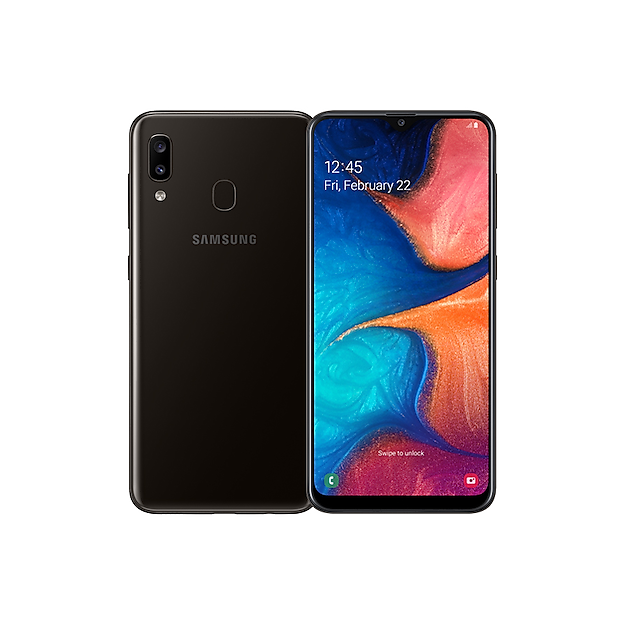
        A20 32GB
      </h3>
      <p class="text-xs text-gray-400 dark:text-gray-500">UNLOCKED</p>

      <!-- Condition badge — a grouped card (show_from) represents several
           storage/grade combinations at once, so showing just this one unit's
           grade would misrepresent the group; the price row alone with
           "From £X" carries the card instead. -->
      <div class="mt-auto pt-2 flex items-center justify-between gap-2">
          <span class="text-[10px] font-semibold px-2 py-0.5 rounded-full bg-indigo-600 text-white">
            Grade A
          </span>
        <div class="flex flex-col items-end">
          <p class="text-base font-extrabold text-gray-900 dark:text-white">£75</p>
        </div>
      </div>

      <button class="mt-2 w-full bg-[rgb(0,106,58)] hover:bg-green-700 dark:bg-green-700 dark:hover:bg-green-600 text-white text-xs py-2 font-semibold rounded-xl transition-colors duration-150">
        View Details
      </button>
    </div>
  </div>
</a>
      <a class="group block" href="/mobile/39471?back_to=%2Fmobile&amp;url=https%3A%2F%2Fimages.samsung.com%2Fis%2Fimage%2Fsamsung%2Fhk-en-galaxy-a20-a205-sm-a205gzkvtgy-black-168665103%3F%24624_624_PNG%24">
  <div class="bg-white dark:bg-[rgb(0,35,20)] rounded-2xl shadow-sm hover:shadow-md dark:shadow-black/30 dark:hover:shadow-black/50 transition-all duration-200 overflow-hidden flex flex-col h-full border border-gray-100 dark:border-green-900/40 hover:border-green-200 dark:hover:border-green-700">


    <!-- Image — non-PNG device photos are hotlinked JPEGs with an opaque
         white studio background baked into the pixels (no transparency to
         blend with a dark tile), so those stay a deliberate light "photo
         mat" in both themes rather than flipping dark and clashing with
         them. PNGs are usually real cutouts with transparency and don't
         have that problem, so they keep the original theme-aware tile. -->
    <div class="relative bg-gray-50 flex items-center justify-center p-4 h-[180px]">
      <img alt="A20" class="h-full object-contain" src="https://images.samsung.com/is/image/samsung/hk-en-galaxy-a20-a205-sm-a205gzkvtgy-black-168665103?$624_624_PNG$" />
      <img alt="Warranty" class="absolute top-2 left-2 opacity-90" src="/assets/warranty-6f2832a6.png" width="64" height="64" />
    </div>

    <!-- Info -->
    <div class="flex flex-col flex-1 p-4 gap-2">
      <p class="text-[10px] font-semibold text-green-600 dark:text-green-400 uppercase tracking-widest">SAMSUNG</p>
      <h3 class="text-sm font-bold text-gray-800 dark:text-white leading-snug line-clamp-2">
        A20 32GB
      </h3>
      <p class="text-xs text-gray-400 dark:text-gray-500">UNLOCKED</p>

      <!-- Condition badge — a grouped card (show_from) represents several
           storage/grade combinations at once, so showing just this one unit's
           grade would misrepresent the group; the price row alone with
           "From £X" carries the card instead. -->
      <div class="mt-auto pt-2 flex items-center justify-between gap-2">
          <span class="text-[10px] font-semibold px-2 py-0.5 rounded-full bg-indigo-600 text-white">
            Grade A
          </span>
        <div class="flex flex-col items-end">
          <p class="text-base font-extrabold text-gray-900 dark:text-white">£75</p>
        </div>
      </div>

      <button class="mt-2 w-full bg-[rgb(0,106,58)] hover:bg-green-700 dark:bg-green-700 dark:hover:bg-green-600 text-white text-xs py-2 font-semibold rounded-xl transition-colors duration-150">
        View Details
      </button>
    </div>
  </div>
</a>
      <a class="group block" href="/mobile/39472?back_to=%2Fmobile&amp;url=https%3A%2F%2Fimages.samsung.com%2Fis%2Fimage%2Fsamsung%2Fhk-en-galaxy-a20-a205-sm-a205gzkvtgy-black-168665103%3F%24624_624_PNG%24">
  <div class="bg-white dark:bg-[rgb(0,35,20)] rounded-2xl shadow-sm hover:shadow-md dark:shadow-black/30 dark:hover:shadow-black/50 transition-all duration-200 overflow-hidden flex flex-col h-full border border-gray-100 dark:border-green-900/40 hover:border-green-200 dark:hover:border-green-700">


    <!-- Image — non-PNG device photos are hotlinked JPEGs with an opaque
         white studio background baked into the pixels (no transparency to
         blend with a dark tile), so those stay a deliberate light "photo
         mat" in both themes rather than flipping dark and clashing with
         them. PNGs are usually real cutouts with transparency and don't
         have that problem, so they keep the original theme-aware tile. -->
    <div class="relative bg-gray-50 flex items-center justify-center p-4 h-[180px]">
      <img alt="A20" class="h-full object-contain" src="https://images.samsung.com/is/image/samsung/hk-en-galaxy-a20-a205-sm-a205gzkvtgy-black-168665103?$624_624_PNG$" />
      <img alt="Warranty" class="absolute top-2 left-2 opacity-90" src="/assets/warranty-6f2832a6.png" width="64" height="64" />
    </div>

    <!-- Info -->
    <div class="flex flex-col flex-1 p-4 gap-2">
      <p class="text-[10px] font-semibold text-green-600 dark:text-green-400 uppercase tracking-widest">SAMSUNG</p>
      <h3 class="text-sm font-bold text-gray-800 dark:text-white leading-snug line-clamp-2">
        A20 32GB
      </h3>
      <p class="text-xs text-gray-400 dark:text-gray-500">UNLOCKED</p>

      <!-- Condition badge — a grouped card (show_from) represents several
           storage/grade combinations at once, so showing just this one unit's
           grade would misrepresent the group; the price row alone with
           "From £X" carries the card instead. -->
      <div class="mt-auto pt-2 flex items-center justify-between gap-2">
          <span class="text-[10px] font-semibold px-2 py-0.5 rounded-full bg-indigo-600 text-white">
            Grade A
          </span>
        <div class="flex flex-col items-end">
          <p class="text-base font-extrabold text-gray-900 dark:text-white">£75</p>
        </div>
      </div>

      <button class="mt-2 w-full bg-[rgb(0,106,58)] hover:bg-green-700 dark:bg-green-700 dark:hover:bg-green-600 text-white text-xs py-2 font-semibold rounded-xl transition-colors duration-150">
        View Details
      </button>
    </div>
  </div>
</a>
      <a class="group block" href="/mobile/39469?back_to=%2Fmobile&amp;url=https%3A%2F%2Fi.pinimg.com%2F736x%2F46%2F70%2F4f%2F46704f0c1b194422d979753edf718559.jpg">
  <div class="bg-white dark:bg-[rgb(0,35,20)] rounded-2xl shadow-sm hover:shadow-md dark:shadow-black/30 dark:hover:shadow-black/50 transition-all duration-200 overflow-hidden flex flex-col h-full border border-gray-100 dark:border-green-900/40 hover:border-green-200 dark:hover:border-green-700">


    <!-- Image — non-PNG device photos are hotlinked JPEGs with an opaque
         white studio background baked into the pixels (no transparency to
         blend with a dark tile), so those stay a deliberate light "photo
         mat" in both themes rather than flipping dark and clashing with
         them. PNGs are usually real cutouts with transparency and don't
         have that problem, so they keep the original theme-aware tile. -->
    <div class="relative bg-gray-50 flex items-center justify-center p-4 h-[180px]">
      <img alt="IPHONE 16 PRO MAX" class="h-full object-contain" src="https://i.pinimg.com/736x/46/70/4f/46704f0c1b194422d979753edf718559.jpg" />
      <img alt="Warranty" class="absolute top-2 left-2 opacity-90" src="/assets/warranty-6f2832a6.png" width="64" height="64" />
    </div>

    <!-- Info -->
    <div class="flex flex-col flex-1 p-4 gap-2">
      <p class="text-[10px] font-semibold text-green-600 dark:text-green-400 uppercase tracking-widest">APPLE</p>
      <h3 class="text-sm font-bold text-gray-800 dark:text-white leading-snug line-clamp-2">
        IPHONE 16 PRO MAX 256GB
      </h3>
      <p class="text-xs text-gray-400 dark:text-gray-500">UNLOCKED</p>

      <!-- Condition badge — a grouped card (show_from) represents several
           storage/grade combinations at once, so showing just this one unit's
           grade would misrepresent the group; the price row alone with
           "From £X" carries the card instead. -->
      <div class="mt-auto pt-2 flex items-center justify-between gap-2">
          <span class="text-[10px] font-semibold px-2 py-0.5 rounded-full bg-indigo-600 text-white">
            Grade A
          </span>
        <div class="flex flex-col items-end">
          <p class="text-base font-extrabold text-gray-900 dark:text-white">£725</p>
        </div>
      </div>

      <button class="mt-2 w-full bg-[rgb(0,106,58)] hover:bg-green-700 dark:bg-green-700 dark:hover:bg-green-600 text-white text-xs py-2 font-semibold rounded-xl transition-colors duration-150">
        View Details
      </button>
    </div>
  </div>
</a>
      <a class="group block" href="/mobile/39468?back_to=%2Fmobile&amp;url=https%3A%2F%2Ffdn2.gsmarena.com%2Fvv%2Fbigpic%2Fwiko-t50.jpg">
  <div class="bg-white dark:bg-[rgb(0,35,20)] rounded-2xl shadow-sm hover:shadow-md dark:shadow-black/30 dark:hover:shadow-black/50 transition-all duration-200 overflow-hidden flex flex-col h-full border border-gray-100 dark:border-green-900/40 hover:border-green-200 dark:hover:border-green-700">


    <!-- Image — non-PNG device photos are hotlinked JPEGs with an opaque
         white studio background baked into the pixels (no transparency to
         blend with a dark tile), so those stay a deliberate light "photo
         mat" in both themes rather than flipping dark and clashing with
         them. PNGs are usually real cutouts with transparency and don't
         have that problem, so they keep the original theme-aware tile. -->
    <div class="relative bg-gray-50 flex items-center justify-center p-4 h-[180px]">
      <img alt="T50" class="h-full object-contain" src="https://fdn2.gsmarena.com/vv/bigpic/wiko-t50.jpg" />
      <img alt="Warranty" class="absolute top-2 left-2 opacity-90" src="/assets/warranty-6f2832a6.png" width="64" height="64" />
    </div>

    <!-- Info -->
    <div class="flex flex-col flex-1 p-4 gap-2">
      <p class="text-[10px] font-semibold text-green-600 dark:text-green-400 uppercase tracking-widest">WIKO</p>
      <h3 class="text-sm font-bold text-gray-800 dark:text-white leading-snug line-clamp-2">
        T50 128GB
      </h3>
      <p class="text-xs text-gray-400 dark:text-gray-500">UNLOCKED</p>

      <!-- Condition badge — a grouped card (show_from) represents several
           storage/grade combinations at once, so showing just this one unit's
           grade would misrepresent the group; the price row alone with
           "From £X" carries the card instead. -->
      <div class="mt-auto pt-2 flex items-center justify-between gap-2">
          <span class="text-[10px] font-semibold px-2 py-0.5 rounded-full bg-green-600 text-white">
            NEW
          </span>
        <div class="flex flex-col items-end">
          <p class="text-base font-extrabold text-gray-900 dark:text-white">£95</p>
        </div>
      </div>

      <button class="mt-2 w-full bg-[rgb(0,106,58)] hover:bg-green-700 dark:bg-green-700 dark:hover:bg-green-600 text-white text-xs py-2 font-semibold rounded-xl transition-colors duration-150">
        View Details
      </button>
    </div>
  </div>
</a>
      <a class="group block" href="/mobile/39467?back_to=%2Fmobile&amp;url=https%3A%2F%2Ffdn2.gsmarena.com%2Fvv%2Fbigpic%2Fwiko-t50.jpg">
  <div class="bg-white dark:bg-[rgb(0,35,20)] rounded-2xl shadow-sm hover:shadow-md dark:shadow-black/30 dark:hover:shadow-black/50 transition-all duration-200 overflow-hidden flex flex-col h-full border border-gray-100 dark:border-green-900/40 hover:border-green-200 dark:hover:border-green-700">


    <!-- Image — non-PNG device photos are hotlinked JPEGs with an opaque
         white studio background baked into the pixels (no transparency to
         blend with a dark tile), so those stay a deliberate light "photo
         mat" in both themes rather than flipping dark and clashing with
         them. PNGs are usually real cutouts with transparency and don't
         have that problem, so they keep the original theme-aware tile. -->
    <div class="relative bg-gray-50 flex items-center justify-center p-4 h-[180px]">
      <img alt="T50" class="h-full object-contain" src="https://fdn2.gsmarena.com/vv/bigpic/wiko-t50.jpg" />
      <img alt="Warranty" class="absolute top-2 left-2 opacity-90" src="/assets/warranty-6f2832a6.png" width="64" height="64" />
        <div class="absolute inset-0 bg-white/70 dark:bg-black/60 flex items-center justify-center rounded-t-2xl">
          <span class="bg-red-100 dark:bg-red-900/50 text-red-600 dark:text-red-400 text-xs font-bold px-3 py-1 rounded-full uppercase tracking-wide">Sold</span>
        </div>
    </div>

    <!-- Info -->
    <div class="flex flex-col flex-1 p-4 gap-2">
      <p class="text-[10px] font-semibold text-green-600 dark:text-green-400 uppercase tracking-widest">WIKO</p>
      <h3 class="text-sm font-bold text-gray-800 dark:text-white leading-snug line-clamp-2">
        T50 128GB
      </h3>
      <p class="text-xs text-gray-400 dark:text-gray-500">UNLOCKED</p>

      <!-- Condition badge — a grouped card (show_from) represents several
           storage/grade combinations at once, so showing just this one unit's
           grade would misrepresent the group; the price row alone with
           "From £X" carries the card instead. -->
      <div class="mt-auto pt-2 flex items-center justify-between gap-2">
          <span class="text-[10px] font-semibold px-2 py-0.5 rounded-full bg-green-600 text-white">
            NEW
          </span>
        <div class="flex flex-col items-end">
          <p class="text-base font-extrabold text-gray-900 dark:text-white">£95</p>
        </div>
      </div>

      <button class="mt-2 w-full bg-[rgb(0,106,58)] hover:bg-green-700 dark:bg-green-700 dark:hover:bg-green-600 text-white text-xs py-2 font-semibold rounded-xl transition-colors duration-150">
        View Details
      </button>
    </div>
  </div>
</a>
      <a class="group block" href="/mobile/39466?back_to=%2Fmobile&amp;url=https%3A%2F%2Fistore.co.na%2Fcdn%2Fshop%2Fproducts%2FiPhone14Pro_LineupScreen_02421b18-0312-494a-ae5f-d402b5f844a4_1200x.png%3Fv%3D1664270671">
  <div class="bg-white dark:bg-[rgb(0,35,20)] rounded-2xl shadow-sm hover:shadow-md dark:shadow-black/30 dark:hover:shadow-black/50 transition-all duration-200 overflow-hidden flex flex-col h-full border border-gray-100 dark:border-green-900/40 hover:border-green-200 dark:hover:border-green-700">


    <!-- Image — non-PNG device photos are hotlinked JPEGs with an opaque
         white studio background baked into the pixels (no transparency to
         blend with a dark tile), so those stay a deliberate light "photo
         mat" in both themes rather than flipping dark and clashing with
         them. PNGs are usually real cutouts with transparency and don't
         have that problem, so they keep the original theme-aware tile. -->
    <div class="relative bg-gray-50 dark:bg-[rgb(0,22,12)] flex items-center justify-center p-4 h-[180px]">
      <img alt="IPHONE 14 PRO MAX" class="h-full object-contain" src="https://istore.co.na/cdn/shop/products/iPhone14Pro_LineupScreen_02421b18-0312-494a-ae5f-d402b5f844a4_1200x.png?v=1664270671" />
      <img alt="Warranty" class="absolute top-2 left-2 opacity-90" src="/assets/warranty-6f2832a6.png" width="64" height="64" />
    </div>

    <!-- Info -->
    <div class="flex flex-col flex-1 p-4 gap-2">
      <p class="text-[10px] font-semibold text-green-600 dark:text-green-400 uppercase tracking-widest">APPLE</p>
      <h3 class="text-sm font-bold text-gray-800 dark:text-white leading-snug line-clamp-2">
        IPHONE 14 PRO MAX 128GB
      </h3>
      <p class="text-xs text-gray-400 dark:text-gray-500">UNLOCKED</p>

      <!-- Condition badge — a grouped card (show_from) represents several
           storage/grade combinations at once, so showing just this one unit's
           grade would misrepresent the group; the price row alone with
           "From £X" carries the card instead. -->
      <div class="mt-auto pt-2 flex items-center justify-between gap-2">
          <span class="text-[10px] font-semibold px-2 py-0.5 rounded-full bg-indigo-600 text-white">
            Grade A
          </span>
        <div class="flex flex-col items-end">
          <p class="text-base font-extrabold text-gray-900 dark:text-white">£499</p>
        </div>
      </div>

      <button class="mt-2 w-full bg-[rgb(0,106,58)] hover:bg-green-700 dark:bg-green-700 dark:hover:bg-green-600 text-white text-xs py-2 font-semibold rounded-xl transition-colors duration-150">
        View Details
      </button>
    </div>
  </div>
</a>
      <a class="group block" href="/mobile/39465?back_to=%2Fmobile&amp;url=https%3A%2F%2Fm-cdn.phonearena.com%2Fimages%2Farticle%2F179838-wide-two_1200%2FiPhone-18-Pro-colors-all-the-rumored-shades.webp">
  <div class="bg-white dark:bg-[rgb(0,35,20)] rounded-2xl shadow-sm hover:shadow-md dark:shadow-black/30 dark:hover:shadow-black/50 transition-all duration-200 overflow-hidden flex flex-col h-full border border-gray-100 dark:border-green-900/40 hover:border-green-200 dark:hover:border-green-700">


    <!-- Image — non-PNG device photos are hotlinked JPEGs with an opaque
         white studio background baked into the pixels (no transparency to
         blend with a dark tile), so those stay a deliberate light "photo
         mat" in both themes rather than flipping dark and clashing with
         them. PNGs are usually real cutouts with transparency and don't
         have that problem, so they keep the original theme-aware tile. -->
    <div class="relative bg-gray-50 flex items-center justify-center p-4 h-[180px]">
      <img alt="IPHONE 18 PRO MAX" class="h-full object-contain" src="https://m-cdn.phonearena.com/images/article/179838-wide-two_1200/iPhone-18-Pro-colors-all-the-rumored-shades.webp" />
      <img alt="Warranty" class="absolute top-2 left-2 opacity-90" src="/assets/warranty-6f2832a6.png" width="64" height="64" />
    </div>

    <!-- Info -->
    <div class="flex flex-col flex-1 p-4 gap-2">
      <p class="text-[10px] font-semibold text-green-600 dark:text-green-400 uppercase tracking-widest">APPLE</p>
      <h3 class="text-sm font-bold text-gray-800 dark:text-white leading-snug line-clamp-2">
        IPHONE 18 PRO MAX 256GB
      </h3>
      <p class="text-xs text-gray-400 dark:text-gray-500">UNLOCKED</p>

      <!-- Condition badge — a grouped card (show_from) represents several
           storage/grade combinations at once, so showing just this one unit's
           grade would misrepresent the group; the price row alone with
           "From £X" carries the card instead. -->
      <div class="mt-auto pt-2 flex items-center justify-between gap-2">
          <span class="text-[10px] font-semibold px-2 py-0.5 rounded-full bg-green-600 text-white">
            NEW
          </span>
        <div class="flex flex-col items-end">
          <p class="text-base font-extrabold text-gray-900 dark:text-white">£1350</p>
        </div>
      </div>

      <button class="mt-2 w-full bg-[rgb(0,106,58)] hover:bg-green-700 dark:bg-green-700 dark:hover:bg-green-600 text-white text-xs py-2 font-semibold rounded-xl transition-colors duration-150">
        View Details
      </button>
    </div>
  </div>
</a>
      <a class="group block" href="/mobile/39464?back_to=%2Fmobile&amp;url=https%3A%2F%2Fm-cdn.phonearena.com%2Fimages%2Farticle%2F179838-wide-two_1200%2FiPhone-18-Pro-colors-all-the-rumored-shades.webp">
  <div class="bg-white dark:bg-[rgb(0,35,20)] rounded-2xl shadow-sm hover:shadow-md dark:shadow-black/30 dark:hover:shadow-black/50 transition-all duration-200 overflow-hidden flex flex-col h-full border border-gray-100 dark:border-green-900/40 hover:border-green-200 dark:hover:border-green-700">


    <!-- Image — non-PNG device photos are hotlinked JPEGs with an opaque
         white studio background baked into the pixels (no transparency to
         blend with a dark tile), so those stay a deliberate light "photo
         mat" in both themes rather than flipping dark and clashing with
         them. PNGs are usually real cutouts with transparency and don't
         have that problem, so they keep the original theme-aware tile. -->
    <div class="relative bg-gray-50 flex items-center justify-center p-4 h-[180px]">
      <img alt="IPHONE 18 PRO MAX" class="h-full object-contain" src="https://m-cdn.phonearena.com/images/article/179838-wide-two_1200/iPhone-18-Pro-colors-all-the-rumored-shades.webp" />
      <img alt="Warranty" class="absolute top-2 left-2 opacity-90" src="/assets/warranty-6f2832a6.png" width="64" height="64" />
    </div>

    <!-- Info -->
    <div class="flex flex-col flex-1 p-4 gap-2">
      <p class="text-[10px] font-semibold text-green-600 dark:text-green-400 uppercase tracking-widest">APPLE</p>
      <h3 class="text-sm font-bold text-gray-800 dark:text-white leading-snug line-clamp-2">
        IPHONE 18 PRO MAX 256GB
      </h3>
      <p class="text-xs text-gray-400 dark:text-gray-500">UNLOCKED</p>

      <!-- Condition badge — a grouped card (show_from) represents several
           storage/grade combinations at once, so showing just this one unit's
           grade would misrepresent the group; the price row alone with
           "From £X" carries the card instead. -->
      <div class="mt-auto pt-2 flex items-center justify-between gap-2">
          <span class="text-[10px] font-semibold px-2 py-0.5 rounded-full bg-green-600 text-white">
            NEW
          </span>
        <div class="flex flex-col items-end">
          <p class="text-base font-extrabold text-gray-900 dark:text-white">£1350</p>
        </div>
      </div>

      <button class="mt-2 w-full bg-[rgb(0,106,58)] hover:bg-green-700 dark:bg-green-700 dark:hover:bg-green-600 text-white text-xs py-2 font-semibold rounded-xl transition-colors duration-150">
        View Details
      </button>
    </div>
  </div>
</a>
      <a class="group block" href="/mobile/39463?back_to=%2Fmobile&amp;url=https%3A%2F%2Fwww.pngmart.com%2Ffiles%2F21%2FiPhone-13-Pro-PNG.png">
  <div class="bg-white dark:bg-[rgb(0,35,20)] rounded-2xl shadow-sm hover:shadow-md dark:shadow-black/30 dark:hover:shadow-black/50 transition-all duration-200 overflow-hidden flex flex-col h-full border border-gray-100 dark:border-green-900/40 hover:border-green-200 dark:hover:border-green-700">


    <!-- Image — non-PNG device photos are hotlinked JPEGs with an opaque
         white studio background baked into the pixels (no transparency to
         blend with a dark tile), so those stay a deliberate light "photo
         mat" in both themes rather than flipping dark and clashing with
         them. PNGs are usually real cutouts with transparency and don't
         have that problem, so they keep the original theme-aware tile. -->
    <div class="relative bg-gray-50 dark:bg-[rgb(0,22,12)] flex items-center justify-center p-4 h-[180px]">
      <img alt="IPHONE 13 PRO MAX" class="h-full object-contain" src="https://www.pngmart.com/files/21/iPhone-13-Pro-PNG.png" />
      <img alt="Warranty" class="absolute top-2 left-2 opacity-90" src="/assets/warranty-6f2832a6.png" width="64" height="64" />
    </div>

    <!-- Info -->
    <div class="flex flex-col flex-1 p-4 gap-2">
      <p class="text-[10px] font-semibold text-green-600 dark:text-green-400 uppercase tracking-widest">APPLE</p>
      <h3 class="text-sm font-bold text-gray-800 dark:text-white leading-snug line-clamp-2">
        IPHONE 13 PRO MAX 128GB
      </h3>
      <p class="text-xs text-gray-400 dark:text-gray-500">UNLOCKED</p>

      <!-- Condition badge — a grouped card (show_from) represents several
           storage/grade combinations at once, so showing just this one unit's
           grade would misrepresent the group; the price row alone with
           "From £X" carries the card instead. -->
      <div class="mt-auto pt-2 flex items-center justify-between gap-2">
          <span class="text-[10px] font-semibold px-2 py-0.5 rounded-full bg-indigo-600 text-white">
            Grade A
          </span>
        <div class="flex flex-col items-end">
          <p class="text-base font-extrabold text-gray-900 dark:text-white">£425</p>
        </div>
      </div>

      <button class="mt-2 w-full bg-[rgb(0,106,58)] hover:bg-green-700 dark:bg-green-700 dark:hover:bg-green-600 text-white text-xs py-2 font-semibold rounded-xl transition-colors duration-150">
        View Details
      </button>
    </div>
  </div>
</a>
      <a class="group block" href="/mobile/39462?back_to=%2Fmobile&amp;url=https%3A%2F%2Fwww.directlinkcom.co.uk%2Fwp-content%2Fuploads%2F2025%2F10%2F17pmax.png">
  <div class="bg-white dark:bg-[rgb(0,35,20)] rounded-2xl shadow-sm hover:shadow-md dark:shadow-black/30 dark:hover:shadow-black/50 transition-all duration-200 overflow-hidden flex flex-col h-full border border-gray-100 dark:border-green-900/40 hover:border-green-200 dark:hover:border-green-700">


    <!-- Image — non-PNG device photos are hotlinked JPEGs with an opaque
         white studio background baked into the pixels (no transparency to
         blend with a dark tile), so those stay a deliberate light "photo
         mat" in both themes rather than flipping dark and clashing with
         them. PNGs are usually real cutouts with transparency and don't
         have that problem, so they keep the original theme-aware tile. -->
    <div class="relative bg-gray-50 dark:bg-[rgb(0,22,12)] flex items-center justify-center p-4 h-[180px]">
      <img alt="IPHONE 17 PRO MAX" class="h-full object-contain" src="https://www.directlinkcom.co.uk/wp-content/uploads/2025/10/17pmax.png" />
      <img alt="Warranty" class="absolute top-2 left-2 opacity-90" src="/assets/warranty-6f2832a6.png" width="64" height="64" />
        <div class="absolute inset-0 bg-white/70 dark:bg-black/60 flex items-center justify-center rounded-t-2xl">
          <span class="bg-red-100 dark:bg-red-900/50 text-red-600 dark:text-red-400 text-xs font-bold px-3 py-1 rounded-full uppercase tracking-wide">Sold</span>
        </div>
    </div>

    <!-- Info -->
    <div class="flex flex-col flex-1 p-4 gap-2">
      <p class="text-[10px] font-semibold text-green-600 dark:text-green-400 uppercase tracking-widest">APPLE</p>
      <h3 class="text-sm font-bold text-gray-800 dark:text-white leading-snug line-clamp-2">
        IPHONE 17 PRO MAX 512GB
      </h3>
      <p class="text-xs text-gray-400 dark:text-gray-500">UNLOCKED</p>

      <!-- Condition badge — a grouped card (show_from) represents several
           storage/grade combinations at once, so showing just this one unit's
           grade would misrepresent the group; the price row alone with
           "From £X" carries the card instead. -->
      <div class="mt-auto pt-2 flex items-center justify-between gap-2">
          <span class="text-[10px] font-semibold px-2 py-0.5 rounded-full bg-blue-600 text-white">
            Grade A+
          </span>
        <div class="flex flex-col items-end">
          <p class="text-base font-extrabold text-gray-900 dark:text-white">£1025</p>
        </div>
      </div>

      <button class="mt-2 w-full bg-[rgb(0,106,58)] hover:bg-green-700 dark:bg-green-700 dark:hover:bg-green-600 text-white text-xs py-2 font-semibold rounded-xl transition-colors duration-150">
        View Details
      </button>
    </div>
  </div>
</a>
      <a class="group block" href="/mobile/39461?back_to=%2Fmobile&amp;url=https%3A%2F%2Fwww.directlinkcom.co.uk%2Fwp-content%2Fuploads%2F2025%2F10%2F17pmax.png">
  <div class="bg-white dark:bg-[rgb(0,35,20)] rounded-2xl shadow-sm hover:shadow-md dark:shadow-black/30 dark:hover:shadow-black/50 transition-all duration-200 overflow-hidden flex flex-col h-full border border-gray-100 dark:border-green-900/40 hover:border-green-200 dark:hover:border-green-700">


    <!-- Image — non-PNG device photos are hotlinked JPEGs with an opaque
         white studio background baked into the pixels (no transparency to
         blend with a dark tile), so those stay a deliberate light "photo
         mat" in both themes rather than flipping dark and clashing with
         them. PNGs are usually real cutouts with transparency and don't
         have that problem, so they keep the original theme-aware tile. -->
    <div class="relative bg-gray-50 dark:bg-[rgb(0,22,12)] flex items-center justify-center p-4 h-[180px]">
      <img alt="IPHONE 17 PRO MAX" class="h-full object-contain" src="https://www.directlinkcom.co.uk/wp-content/uploads/2025/10/17pmax.png" />
      <img alt="Warranty" class="absolute top-2 left-2 opacity-90" src="/assets/warranty-6f2832a6.png" width="64" height="64" />
        <div class="absolute inset-0 bg-white/70 dark:bg-black/60 flex items-center justify-center rounded-t-2xl">
          <span class="bg-red-100 dark:bg-red-900/50 text-red-600 dark:text-red-400 text-xs font-bold px-3 py-1 rounded-full uppercase tracking-wide">Sold</span>
        </div>
    </div>

    <!-- Info -->
    <div class="flex flex-col flex-1 p-4 gap-2">
      <p class="text-[10px] font-semibold text-green-600 dark:text-green-400 uppercase tracking-widest">APPLE</p>
      <h3 class="text-sm font-bold text-gray-800 dark:text-white leading-snug line-clamp-2">
        IPHONE 17 PRO MAX 512GB
      </h3>
      <p class="text-xs text-gray-400 dark:text-gray-500">UNLOCKED</p>

      <!-- Condition badge — a grouped card (show_from) represents several
           storage/grade combinations at once, so showing just this one unit's
           grade would misrepresent the group; the price row alone with
           "From £X" carries the card instead. -->
      <div class="mt-auto pt-2 flex items-center justify-between gap-2">
          <span class="text-[10px] font-semibold px-2 py-0.5 rounded-full bg-amber-500 text-gray-900">
            Grade B
          </span>
        <div class="flex flex-col items-end">
          <p class="text-base font-extrabold text-gray-900 dark:text-white">£999</p>
        </div>
      </div>

      <button class="mt-2 w-full bg-[rgb(0,106,58)] hover:bg-green-700 dark:bg-green-700 dark:hover:bg-green-600 text-white text-xs py-2 font-semibold rounded-xl transition-colors duration-150">
        View Details
      </button>
    </div>
  </div>
</a>
      <a class="group block" href="/mobile/39460?back_to=%2Fmobile&amp;url=https%3A%2F%2Fm-cdn.phonearena.com%2Fimages%2Farticles%2F432685-image%2FFold-7-colors-leak-mid-Setsuna.webp">
  <div class="bg-white dark:bg-[rgb(0,35,20)] rounded-2xl shadow-sm hover:shadow-md dark:shadow-black/30 dark:hover:shadow-black/50 transition-all duration-200 overflow-hidden flex flex-col h-full border border-gray-100 dark:border-green-900/40 hover:border-green-200 dark:hover:border-green-700">


    <!-- Image — non-PNG device photos are hotlinked JPEGs with an opaque
         white studio background baked into the pixels (no transparency to
         blend with a dark tile), so those stay a deliberate light "photo
         mat" in both themes rather than flipping dark and clashing with
         them. PNGs are usually real cutouts with transparency and don't
         have that problem, so they keep the original theme-aware tile. -->
    <div class="relative bg-gray-50 flex items-center justify-center p-4 h-[180px]">
      <img alt="Z FOLD 7 5G" class="h-full object-contain" src="https://m-cdn.phonearena.com/images/articles/432685-image/Fold-7-colors-leak-mid-Setsuna.webp" />
      <img alt="Warranty" class="absolute top-2 left-2 opacity-90" src="/assets/warranty-6f2832a6.png" width="64" height="64" />
    </div>

    <!-- Info -->
    <div class="flex flex-col flex-1 p-4 gap-2">
      <p class="text-[10px] font-semibold text-green-600 dark:text-green-400 uppercase tracking-widest">SAMSUNG</p>
      <h3 class="text-sm font-bold text-gray-800 dark:text-white leading-snug line-clamp-2">
        Z FOLD 7 5G 512GB
      </h3>
      <p class="text-xs text-gray-400 dark:text-gray-500">UNLOCKED</p>

      <!-- Condition badge — a grouped card (show_from) represents several
           storage/grade combinations at once, so showing just this one unit's
           grade would misrepresent the group; the price row alone with
           "From £X" carries the card instead. -->
      <div class="mt-auto pt-2 flex items-center justify-between gap-2">
          <span class="text-[10px] font-semibold px-2 py-0.5 rounded-full bg-blue-600 text-white">
            Grade A+
          </span>
        <div class="flex flex-col items-end">
          <p class="text-base font-extrabold text-gray-900 dark:text-white">£949</p>
        </div>
      </div>

      <button class="mt-2 w-full bg-[rgb(0,106,58)] hover:bg-green-700 dark:bg-green-700 dark:hover:bg-green-600 text-white text-xs py-2 font-semibold rounded-xl transition-colors duration-150">
        View Details
      </button>
    </div>
  </div>
</a>
      <a class="group block" href="/mobile/39459?back_to=%2Fmobile&amp;url=https%3A%2F%2Fm-cdn.phonearena.com%2Fimages%2Freview%2F7786-wide-two_1200%2FSamsung-Galaxy-S26-Plus-vs-Galaxy-S26-Ultra-Main-differences-to-expect.jpg">
  <div class="bg-white dark:bg-[rgb(0,35,20)] rounded-2xl shadow-sm hover:shadow-md dark:shadow-black/30 dark:hover:shadow-black/50 transition-all duration-200 overflow-hidden flex flex-col h-full border border-gray-100 dark:border-green-900/40 hover:border-green-200 dark:hover:border-green-700">


    <!-- Image — non-PNG device photos are hotlinked JPEGs with an opaque
         white studio background baked into the pixels (no transparency to
         blend with a dark tile), so those stay a deliberate light "photo
         mat" in both themes rather than flipping dark and clashing with
         them. PNGs are usually real cutouts with transparency and don't
         have that problem, so they keep the original theme-aware tile. -->
    <div class="relative bg-gray-50 flex items-center justify-center p-4 h-[180px]">
      <img alt="S26 PLUS" class="h-full object-contain" src="https://m-cdn.phonearena.com/images/review/7786-wide-two_1200/Samsung-Galaxy-S26-Plus-vs-Galaxy-S26-Ultra-Main-differences-to-expect.jpg" />
      <img alt="Warranty" class="absolute top-2 left-2 opacity-90" src="/assets/warranty-6f2832a6.png" width="64" height="64" />
    </div>

    <!-- Info -->
    <div class="flex flex-col flex-1 p-4 gap-2">
      <p class="text-[10px] font-semibold text-green-600 dark:text-green-400 uppercase tracking-widest">SAMSUNG</p>
      <h3 class="text-sm font-bold text-gray-800 dark:text-white leading-snug line-clamp-2">
        S26 PLUS 512GB
      </h3>
      <p class="text-xs text-gray-400 dark:text-gray-500">UNLOCKED</p>

      <!-- Condition badge — a grouped card (show_from) represents several
           storage/grade combinations at once, so showing just this one unit's
           grade would misrepresent the group; the price row alone with
           "From £X" carries the card instead. -->
      <div class="mt-auto pt-2 flex items-center justify-between gap-2">
          <span class="text-[10px] font-semibold px-2 py-0.5 rounded-full bg-green-600 text-white">
            NEW
          </span>
        <div class="flex flex-col items-end">
          <p class="text-base font-extrabold text-gray-900 dark:text-white">£899</p>
        </div>
      </div>

      <button class="mt-2 w-full bg-[rgb(0,106,58)] hover:bg-green-700 dark:bg-green-700 dark:hover:bg-green-600 text-white text-xs py-2 font-semibold rounded-xl transition-colors duration-150">
        View Details
      </button>
    </div>
  </div>
</a>
      <a class="group block" href="/mobile/39458?back_to=%2Fmobile&amp;url=https%3A%2F%2Fcdsassets.apple.com%2Flive%2F7WUAS350%2Fimages%2Ftech-specs%2Fiphone-17-pro-17-pro-max-hero.png">
  <div class="bg-white dark:bg-[rgb(0,35,20)] rounded-2xl shadow-sm hover:shadow-md dark:shadow-black/30 dark:hover:shadow-black/50 transition-all duration-200 overflow-hidden flex flex-col h-full border border-gray-100 dark:border-green-900/40 hover:border-green-200 dark:hover:border-green-700">


    <!-- Image — non-PNG device photos are hotlinked JPEGs with an opaque
         white studio background baked into the pixels (no transparency to
         blend with a dark tile), so those stay a deliberate light "photo
         mat" in both themes rather than flipping dark and clashing with
         them. PNGs are usually real cutouts with transparency and don't
         have that problem, so they keep the original theme-aware tile. -->
    <div class="relative bg-gray-50 dark:bg-[rgb(0,22,12)] flex items-center justify-center p-4 h-[180px]">
      <img alt="IPHONE 17 PRO" class="h-full object-contain" src="https://cdsassets.apple.com/live/7WUAS350/images/tech-specs/iphone-17-pro-17-pro-max-hero.png" />
      <img alt="Warranty" class="absolute top-2 left-2 opacity-90" src="/assets/warranty-6f2832a6.png" width="64" height="64" />
    </div>

    <!-- Info -->
    <div class="flex flex-col flex-1 p-4 gap-2">
      <p class="text-[10px] font-semibold text-green-600 dark:text-green-400 uppercase tracking-widest">APPLE</p>
      <h3 class="text-sm font-bold text-gray-800 dark:text-white leading-snug line-clamp-2">
        IPHONE 17 PRO 256GB
      </h3>
      <p class="text-xs text-gray-400 dark:text-gray-500">UNLOCKED</p>

      <!-- Condition badge — a grouped card (show_from) represents several
           storage/grade combinations at once, so showing just this one unit's
           grade would misrepresent the group; the price row alone with
           "From £X" carries the card instead. -->
      <div class="mt-auto pt-2 flex items-center justify-between gap-2">
          <span class="text-[10px] font-semibold px-2 py-0.5 rounded-full bg-blue-600 text-white">
            Grade A+
          </span>
        <div class="flex flex-col items-end">
          <p class="text-base font-extrabold text-gray-900 dark:text-white">£875</p>
        </div>
      </div>

      <button class="mt-2 w-full bg-[rgb(0,106,58)] hover:bg-green-700 dark:bg-green-700 dark:hover:bg-green-600 text-white text-xs py-2 font-semibold rounded-xl transition-colors duration-150">
        View Details
      </button>
    </div>
  </div>
</a>
      <a class="group block" href="/mobile/39457?back_to=%2Fmobile&amp;url=https%3A%2F%2Frewardmobile.co.uk%2Fwp-content%2Fuploads%2F2024%2F09%2FApple-iPhone16-Lineup.png">
  <div class="bg-white dark:bg-[rgb(0,35,20)] rounded-2xl shadow-sm hover:shadow-md dark:shadow-black/30 dark:hover:shadow-black/50 transition-all duration-200 overflow-hidden flex flex-col h-full border border-gray-100 dark:border-green-900/40 hover:border-green-200 dark:hover:border-green-700">


    <!-- Image — non-PNG device photos are hotlinked JPEGs with an opaque
         white studio background baked into the pixels (no transparency to
         blend with a dark tile), so those stay a deliberate light "photo
         mat" in both themes rather than flipping dark and clashing with
         them. PNGs are usually real cutouts with transparency and don't
         have that problem, so they keep the original theme-aware tile. -->
    <div class="relative bg-gray-50 dark:bg-[rgb(0,22,12)] flex items-center justify-center p-4 h-[180px]">
      <img alt="IPHONE 16" class="h-full object-contain" src="https://rewardmobile.co.uk/wp-content/uploads/2024/09/Apple-iPhone16-Lineup.png" />
      <img alt="Warranty" class="absolute top-2 left-2 opacity-90" src="/assets/warranty-6f2832a6.png" width="64" height="64" />
    </div>

    <!-- Info -->
    <div class="flex flex-col flex-1 p-4 gap-2">
      <p class="text-[10px] font-semibold text-green-600 dark:text-green-400 uppercase tracking-widest">APPLE</p>
      <h3 class="text-sm font-bold text-gray-800 dark:text-white leading-snug line-clamp-2">
        IPHONE 16 128GB
      </h3>
      <p class="text-xs text-gray-400 dark:text-gray-500">UNLOCKED</p>

      <!-- Condition badge — a grouped card (show_from) represents several
           storage/grade combinations at once, so showing just this one unit's
           grade would misrepresent the group; the price row alone with
           "From £X" carries the card instead. -->
      <div class="mt-auto pt-2 flex items-center justify-between gap-2">
          <span class="text-[10px] font-semibold px-2 py-0.5 rounded-full bg-amber-500 text-gray-900">
            Grade B
          </span>
        <div class="flex flex-col items-end">
          <p class="text-base font-extrabold text-gray-900 dark:text-white">£535</p>
        </div>
      </div>

      <button class="mt-2 w-full bg-[rgb(0,106,58)] hover:bg-green-700 dark:bg-green-700 dark:hover:bg-green-600 text-white text-xs py-2 font-semibold rounded-xl transition-colors duration-150">
        View Details
      </button>
    </div>
  </div>
</a>
      <a class="group block" href="/mobile/39456?back_to=%2Fmobile&amp;url=https%3A%2F%2Fimages.samsung.com%2Fis%2Fimage%2Fsamsung%2Fassets%2Fin%2Ftablets%2Fgalaxy-tab-a9%2Fbuy%2F17903_Tab_A9_KV_720x720.jpg">
  <div class="bg-white dark:bg-[rgb(0,35,20)] rounded-2xl shadow-sm hover:shadow-md dark:shadow-black/30 dark:hover:shadow-black/50 transition-all duration-200 overflow-hidden flex flex-col h-full border border-gray-100 dark:border-green-900/40 hover:border-green-200 dark:hover:border-green-700">


    <!-- Image — non-PNG device photos are hotlinked JPEGs with an opaque
         white studio background baked into the pixels (no transparency to
         blend with a dark tile), so those stay a deliberate light "photo
         mat" in both themes rather than flipping dark and clashing with
         them. PNGs are usually real cutouts with transparency and don't
         have that problem, so they keep the original theme-aware tile. -->
    <div class="relative bg-gray-50 flex items-center justify-center p-4 h-[180px]">
      <img alt="TAB A9" class="h-full object-contain" src="https://images.samsung.com/is/image/samsung/assets/in/tablets/galaxy-tab-a9/buy/17903_Tab_A9_KV_720x720.jpg" />
      <img alt="Warranty" class="absolute top-2 left-2 opacity-90" src="/assets/warranty-6f2832a6.png" width="64" height="64" />
    </div>

    <!-- Info -->
    <div class="flex flex-col flex-1 p-4 gap-2">
      <p class="text-[10px] font-semibold text-green-600 dark:text-green-400 uppercase tracking-widest">SAMSUNG</p>
      <h3 class="text-sm font-bold text-gray-800 dark:text-white leading-snug line-clamp-2">
        TAB A9 64GB
      </h3>
      <p class="text-xs text-gray-400 dark:text-gray-500">WIFI ONLY</p>

      <!-- Condition badge — a grouped card (show_from) represents several
           storage/grade combinations at once, so showing just this one unit's
           grade would misrepresent the group; the price row alone with
           "From £X" carries the card instead. -->
      <div class="mt-auto pt-2 flex items-center justify-between gap-2">
          <span class="text-[10px] font-semibold px-2 py-0.5 rounded-full bg-green-600 text-white">
            NEW
          </span>
        <div class="flex flex-col items-end">
          <p class="text-base font-extrabold text-gray-900 dark:text-white">£135</p>
        </div>
      </div>

      <button class="mt-2 w-full bg-[rgb(0,106,58)] hover:bg-green-700 dark:bg-green-700 dark:hover:bg-green-600 text-white text-xs py-2 font-semibold rounded-xl transition-colors duration-150">
        View Details
      </button>
    </div>
  </div>
</a>
      <a class="group block" href="/mobile/39455?back_to=%2Fmobile&amp;url=https%3A%2F%2Fistore.co.na%2Fcdn%2Fshop%2Fproducts%2FiPhone14Pro_LineupScreen_02421b18-0312-494a-ae5f-d402b5f844a4_1200x.png%3Fv%3D1664270671">
  <div class="bg-white dark:bg-[rgb(0,35,20)] rounded-2xl shadow-sm hover:shadow-md dark:shadow-black/30 dark:hover:shadow-black/50 transition-all duration-200 overflow-hidden flex flex-col h-full border border-gray-100 dark:border-green-900/40 hover:border-green-200 dark:hover:border-green-700">


    <!-- Image — non-PNG device photos are hotlinked JPEGs with an opaque
         white studio background baked into the pixels (no transparency to
         blend with a dark tile), so those stay a deliberate light "photo
         mat" in both themes rather than flipping dark and clashing with
         them. PNGs are usually real cutouts with transparency and don't
         have that problem, so they keep the original theme-aware tile. -->
    <div class="relative bg-gray-50 dark:bg-[rgb(0,22,12)] flex items-center justify-center p-4 h-[180px]">
      <img alt="IPHONE 14 PRO MAX" class="h-full object-contain" src="https://istore.co.na/cdn/shop/products/iPhone14Pro_LineupScreen_02421b18-0312-494a-ae5f-d402b5f844a4_1200x.png?v=1664270671" />
      <img alt="Warranty" class="absolute top-2 left-2 opacity-90" src="/assets/warranty-6f2832a6.png" width="64" height="64" />
    </div>

    <!-- Info -->
    <div class="flex flex-col flex-1 p-4 gap-2">
      <p class="text-[10px] font-semibold text-green-600 dark:text-green-400 uppercase tracking-widest">APPLE</p>
      <h3 class="text-sm font-bold text-gray-800 dark:text-white leading-snug line-clamp-2">
        IPHONE 14 PRO MAX 128GB
      </h3>
      <p class="text-xs text-gray-400 dark:text-gray-500">UNLOCKED</p>

      <!-- Condition badge — a grouped card (show_from) represents several
           storage/grade combinations at once, so showing just this one unit's
           grade would misrepresent the group; the price row alone with
           "From £X" carries the card instead. -->
      <div class="mt-auto pt-2 flex items-center justify-between gap-2">
          <span class="text-[10px] font-semibold px-2 py-0.5 rounded-full bg-amber-500 text-gray-900">
            Grade B
          </span>
        <div class="flex flex-col items-end">
          <p class="text-base font-extrabold text-gray-900 dark:text-white">£399</p>
        </div>
      </div>

      <button class="mt-2 w-full bg-[rgb(0,106,58)] hover:bg-green-700 dark:bg-green-700 dark:hover:bg-green-600 text-white text-xs py-2 font-semibold rounded-xl transition-colors duration-150">
        View Details
      </button>
    </div>
  </div>
</a>
      <a class="group block" href="/mobile/39454?back_to=%2Fmobile&amp;url=https%3A%2F%2Fm-cdn.phonearena.com%2Fimages%2Farticle%2F163253-wide-two_1200%2FMotorola-unveils-the-impressively-affordable-Moto-G75-5G-with-a-fresh-SoC-and-unrivaled-durability.jpg%3F1727768990">
  <div class="bg-white dark:bg-[rgb(0,35,20)] rounded-2xl shadow-sm hover:shadow-md dark:shadow-black/30 dark:hover:shadow-black/50 transition-all duration-200 overflow-hidden flex flex-col h-full border border-gray-100 dark:border-green-900/40 hover:border-green-200 dark:hover:border-green-700">


    <!-- Image — non-PNG device photos are hotlinked JPEGs with an opaque
         white studio background baked into the pixels (no transparency to
         blend with a dark tile), so those stay a deliberate light "photo
         mat" in both themes rather than flipping dark and clashing with
         them. PNGs are usually real cutouts with transparency and don't
         have that problem, so they keep the original theme-aware tile. -->
    <div class="relative bg-gray-50 flex items-center justify-center p-4 h-[180px]">
      <img alt="G75 5G" class="h-full object-contain" src="https://m-cdn.phonearena.com/images/article/163253-wide-two_1200/Motorola-unveils-the-impressively-affordable-Moto-G75-5G-with-a-fresh-SoC-and-unrivaled-durability.jpg?1727768990" />
      <img alt="Warranty" class="absolute top-2 left-2 opacity-90" src="/assets/warranty-6f2832a6.png" width="64" height="64" />
    </div>

    <!-- Info -->
    <div class="flex flex-col flex-1 p-4 gap-2">
      <p class="text-[10px] font-semibold text-green-600 dark:text-green-400 uppercase tracking-widest">MOTO</p>
      <h3 class="text-sm font-bold text-gray-800 dark:text-white leading-snug line-clamp-2">
        G75 5G 128GB
      </h3>
      <p class="text-xs text-gray-400 dark:text-gray-500">UNLOCKED</p>

      <!-- Condition badge — a grouped card (show_from) represents several
           storage/grade combinations at once, so showing just this one unit's
           grade would misrepresent the group; the price row alone with
           "From £X" carries the card instead. -->
      <div class="mt-auto pt-2 flex items-center justify-between gap-2">
          <span class="text-[10px] font-semibold px-2 py-0.5 rounded-full bg-indigo-600 text-white">
            Grade A
          </span>
        <div class="flex flex-col items-end">
          <p class="text-base font-extrabold text-gray-900 dark:text-white">£175</p>
        </div>
      </div>

      <button class="mt-2 w-full bg-[rgb(0,106,58)] hover:bg-green-700 dark:bg-green-700 dark:hover:bg-green-600 text-white text-xs py-2 font-semibold rounded-xl transition-colors duration-150">
        View Details
      </button>
    </div>
  </div>
</a>
      <a class="group block" href="/mobile/39453?back_to=%2Fmobile&amp;url=https%3A%2F%2Fistore.co.na%2Fcdn%2Fshop%2Fproducts%2FiPhone14_LineupScreen_accb032b-cec3-49fa-bddb-441475708b80_1200x.png%3Fv%3D1664345584">
  <div class="bg-white dark:bg-[rgb(0,35,20)] rounded-2xl shadow-sm hover:shadow-md dark:shadow-black/30 dark:hover:shadow-black/50 transition-all duration-200 overflow-hidden flex flex-col h-full border border-gray-100 dark:border-green-900/40 hover:border-green-200 dark:hover:border-green-700">


    <!-- Image — non-PNG device photos are hotlinked JPEGs with an opaque
         white studio background baked into the pixels (no transparency to
         blend with a dark tile), so those stay a deliberate light "photo
         mat" in both themes rather than flipping dark and clashing with
         them. PNGs are usually real cutouts with transparency and don't
         have that problem, so they keep the original theme-aware tile. -->
    <div class="relative bg-gray-50 dark:bg-[rgb(0,22,12)] flex items-center justify-center p-4 h-[180px]">
      <img alt="IPHONE 14" class="h-full object-contain" src="https://istore.co.na/cdn/shop/products/iPhone14_LineupScreen_accb032b-cec3-49fa-bddb-441475708b80_1200x.png?v=1664345584" />
      <img alt="Warranty" class="absolute top-2 left-2 opacity-90" src="/assets/warranty-6f2832a6.png" width="64" height="64" />
    </div>

    <!-- Info -->
    <div class="flex flex-col flex-1 p-4 gap-2">
      <p class="text-[10px] font-semibold text-green-600 dark:text-green-400 uppercase tracking-widest">APPLE</p>
      <h3 class="text-sm font-bold text-gray-800 dark:text-white leading-snug line-clamp-2">
        IPHONE 14 128GB
      </h3>
      <p class="text-xs text-gray-400 dark:text-gray-500">UNLOCKED</p>

      <!-- Condition badge — a grouped card (show_from) represents several
           storage/grade combinations at once, so showing just this one unit's
           grade would misrepresent the group; the price row alone with
           "From £X" carries the card instead. -->
      <div class="mt-auto pt-2 flex items-center justify-between gap-2">
          <span class="text-[10px] font-semibold px-2 py-0.5 rounded-full bg-amber-500 text-gray-900">
            Grade B
          </span>
        <div class="flex flex-col items-end">
          <p class="text-base font-extrabold text-gray-900 dark:text-white">£299</p>
        </div>
      </div>

      <button class="mt-2 w-full bg-[rgb(0,106,58)] hover:bg-green-700 dark:bg-green-700 dark:hover:bg-green-600 text-white text-xs py-2 font-semibold rounded-xl transition-colors duration-150">
        View Details
      </button>
    </div>
  </div>
</a>
      <a class="group block" href="/mobile/39452?back_to=%2Fmobile&amp;url=https%3A%2F%2Fm-cdn.phonearena.com%2Fimages%2Farticles%2F432685-image%2FFold-7-colors-leak-mid-Setsuna.webp">
  <div class="bg-white dark:bg-[rgb(0,35,20)] rounded-2xl shadow-sm hover:shadow-md dark:shadow-black/30 dark:hover:shadow-black/50 transition-all duration-200 overflow-hidden flex flex-col h-full border border-gray-100 dark:border-green-900/40 hover:border-green-200 dark:hover:border-green-700">


    <!-- Image — non-PNG device photos are hotlinked JPEGs with an opaque
         white studio background baked into the pixels (no transparency to
         blend with a dark tile), so those stay a deliberate light "photo
         mat" in both themes rather than flipping dark and clashing with
         them. PNGs are usually real cutouts with transparency and don't
         have that problem, so they keep the original theme-aware tile. -->
    <div class="relative bg-gray-50 flex items-center justify-center p-4 h-[180px]">
      <img alt="Z FOLD 7 5G" class="h-full object-contain" src="https://m-cdn.phonearena.com/images/articles/432685-image/Fold-7-colors-leak-mid-Setsuna.webp" />
      <img alt="Warranty" class="absolute top-2 left-2 opacity-90" src="/assets/warranty-6f2832a6.png" width="64" height="64" />
    </div>

    <!-- Info -->
    <div class="flex flex-col flex-1 p-4 gap-2">
      <p class="text-[10px] font-semibold text-green-600 dark:text-green-400 uppercase tracking-widest">SAMSUNG</p>
      <h3 class="text-sm font-bold text-gray-800 dark:text-white leading-snug line-clamp-2">
        Z FOLD 7 5G 512GB
      </h3>
      <p class="text-xs text-gray-400 dark:text-gray-500">UNLOCKED</p>

      <!-- Condition badge — a grouped card (show_from) represents several
           storage/grade combinations at once, so showing just this one unit's
           grade would misrepresent the group; the price row alone with
           "From £X" carries the card instead. -->
      <div class="mt-auto pt-2 flex items-center justify-between gap-2">
          <span class="text-[10px] font-semibold px-2 py-0.5 rounded-full bg-amber-500 text-gray-900">
            Grade B
          </span>
        <div class="flex flex-col items-end">
          <p class="text-base font-extrabold text-gray-900 dark:text-white">£749</p>
        </div>
      </div>

      <button class="mt-2 w-full bg-[rgb(0,106,58)] hover:bg-green-700 dark:bg-green-700 dark:hover:bg-green-600 text-white text-xs py-2 font-semibold rounded-xl transition-colors duration-150">
        View Details
      </button>
    </div>
  </div>
</a>
  </template>
</turbo-stream>


<turbo-stream action="replace" target="load_devices"><template>
    <turbo-frame loading="lazy" id="load_devices" src="/mobile.turbo_stream?pagination%5BPageNumber%5D=2">
      <span class="loading loading-dots loading-lg"></span>
</turbo-frame></template></turbo-stream>